
Is there Internet in Cuba? It’s one of the first questions that travelers who are preparing for their visit to this Caribbean nation might ask. While Cuba is slowly developing its Internet infrastructure across the country, what you might have heard about Cuba Internet in major cities is true.
*This post may contain affiliate links, as a result, we may receive a small commission (at no extra cost to you) on any bookings/purchases you make through the links in this post. As an Amazon Associate, we earn from qualifying purchases. Read our full disclosure
Cuba is one of the few countries in the world that does not have free Internet ANYWHERE in the country, so getting online requires some knowledge and preparation.
For most people travelling to Cuba for a week-long vacation, the news may be somewhat freeing. A week-long Internet detox and break from our cell phones? Yes, please!
But those who are planning to explore the country for 3-4 weeks or even longer may be wary of being disconnected from the world for that long. It especially hurts long-term travelers like us, those who live a digital nomad lifestyle and whose only connection to income requires access to the (evil) World Wide Web.
We couldn’t find much information about how to access wifi in Cuba when we were doing research ahead of our trip. While we prepared for the worst, we were pleasantly surprised upon arrival.
Since the Internet in Cuba is changing very quickly, we’ve put together this post to debunk the myths and provide up-to-date information about the Internet in Cuba.
Traveling Soon? Here is a list of our favourite travel providers and accessories to help get you ready for your upcoming trip!
The Bottom Line: There Is Internet In Cuba
…and it’s not as hard to find as your travel agent and TripAdvisor might tell you.
As of September 2023, there are 4 ways to get Internet in Cuba.
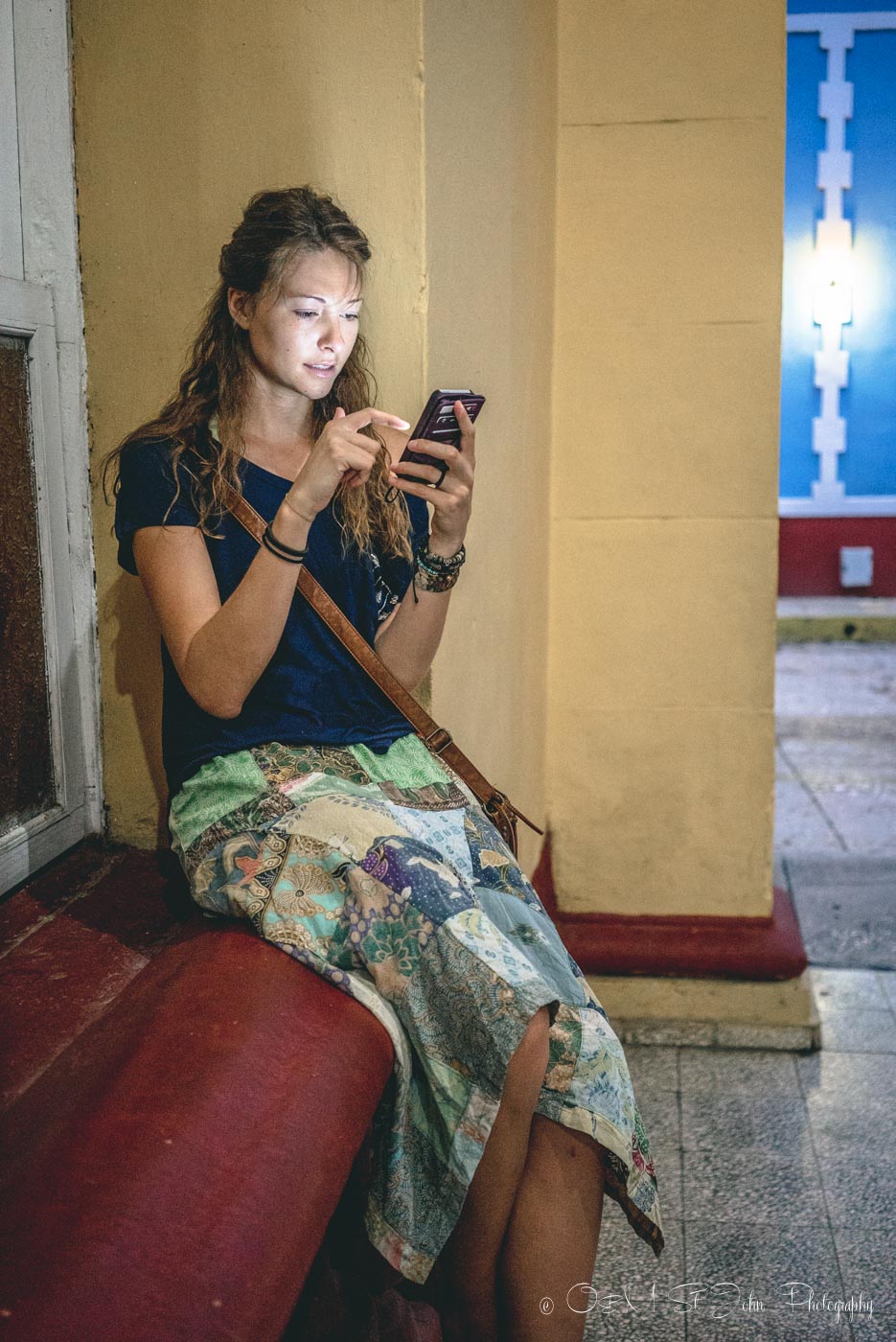
1. Connect To The Wi-Fi In Cuba Via A ETECSA Hotspot
Prior to 2015, Internet in Cuba was practically non-existent, but much has changed since then. In early 2015, the nation’s telecommunication provider, ETECSA, begun opening up Cuba wi-fi hotspots all over the country.
They started off with just a couple wifi spots in Havana, Santiago, and other major cities but eventually extended the hotspots to cover almost every city on the backpacker trail in Cuba and beyond.
Today, there Are Hundreds of Places in Cuba with Wifi access
Each year since 2015, the ETECSA has been introducing hundreds of new Wifi hotspots to meet the growing demand for Cuban Internet. They even teamed up with Google in 2016 to add more servers to the island nation for a faster Internet connection.
Although the Internet in Cuba is still light years away from the speed of the Internet we enjoy at home, Wifi in Cuba is becoming more and more accessible. New Wi-Fi hotspots are popping up across Cuba every year.
Here is a list of all Wi-Fi spots in the country
While widely available across the country, ETECSA Hotspots do not give you free access to the web. To access the Cuba Internet via the ETECSA Hotspot, you will need a CUBACEL SIM card or a NAUTA temporary card.
Cubacel SIM Card
You can also buy a temporary Cubacel tourist line through ETECSA. To make a purchase, you have to be over 18 and have a valid passport. Cubacel SIM card allows you to call, text, and surf the web; however, as a temporary card, it is more expensive with the cost of $25 USD, providing 6GB of mobile data. You will have to top up the card if you need more mobile data in addition to cell phone service.
Here’s a quick breakdown of prices according to the ETECSA website:
As of September 2023, the activation plan for a temporary Cuban SIM card includes 100 minutes, 100 texts, and 6GB of mobile data. This activation plan costs $25 USD and expires 30 days after activation. You can purchase top-up cards for additional data, but not for talk and text.
Mobile Data Top-Up Card Rates:
- $20 USD per 10GB
- $30 USD per 20GB
- $60 USD per 50 GB

Prepaid NAUTA Internet Cards And Where To Buy Them
The cards come in 30-minute, 1-hour and 5-hour denominations and cost about $1.05 per hour (so that’s $0.52 for a 30-minute card and $5.20 for a 5-hour card) and are sold at ETECSA offices across the country. The lineup at these offices is always long, so be prepared to wait.
Our best advice is to estimate the number of hours you will need to spend online during your time in Cuba and purchase Cuba Internet cards in bulk to last you the duration of your trip.
Keep in mind that you can only buy 3 cards per person (you’ll need your passport to make the purchase), but it doesn’t matter if you get 3 x 1-hour cards or 3 x 5-hour cards.
While widely available across the country, ETECSA Hotspots do not give you free access to the web. To access the Cuba Internet via the ETECSA Hotspot, you will need an ETECSA prepaid Internet card.
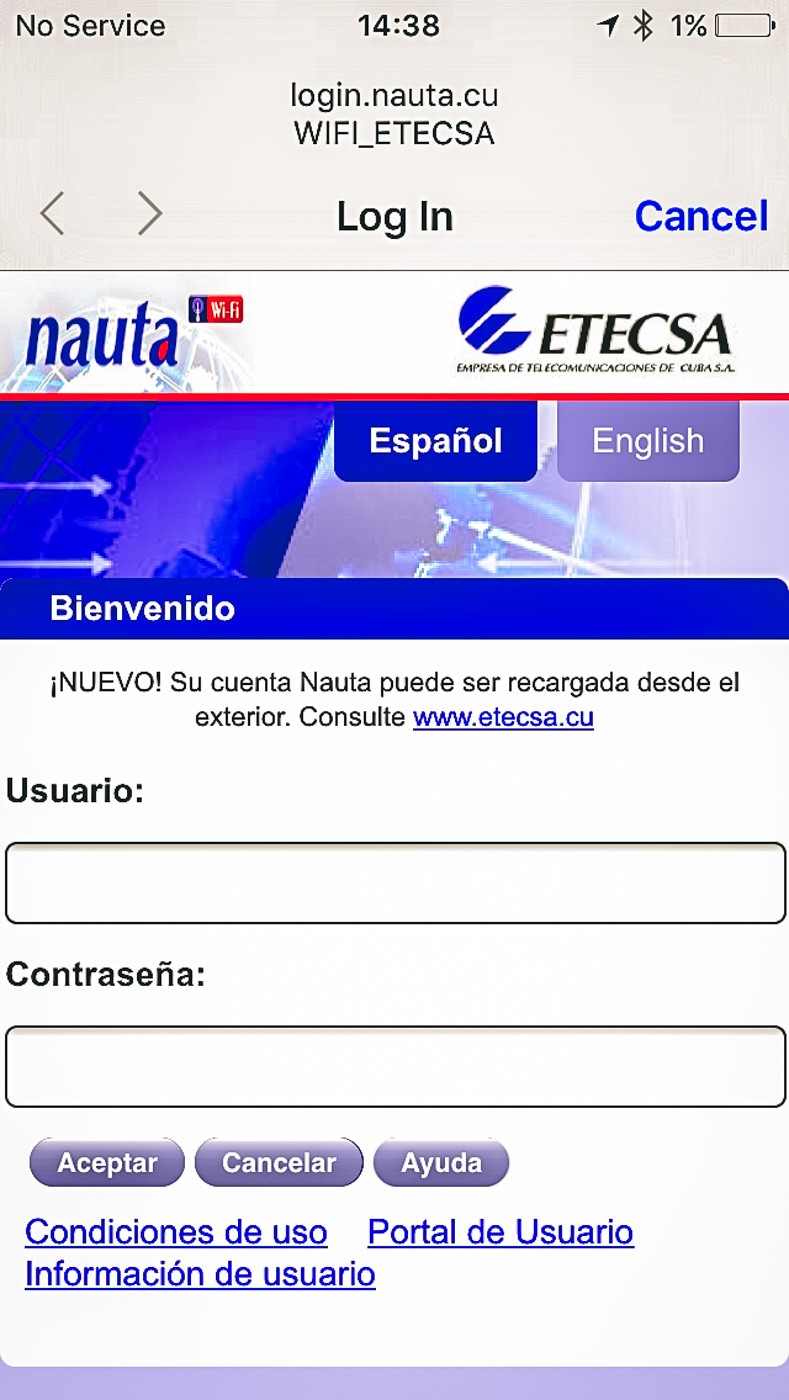
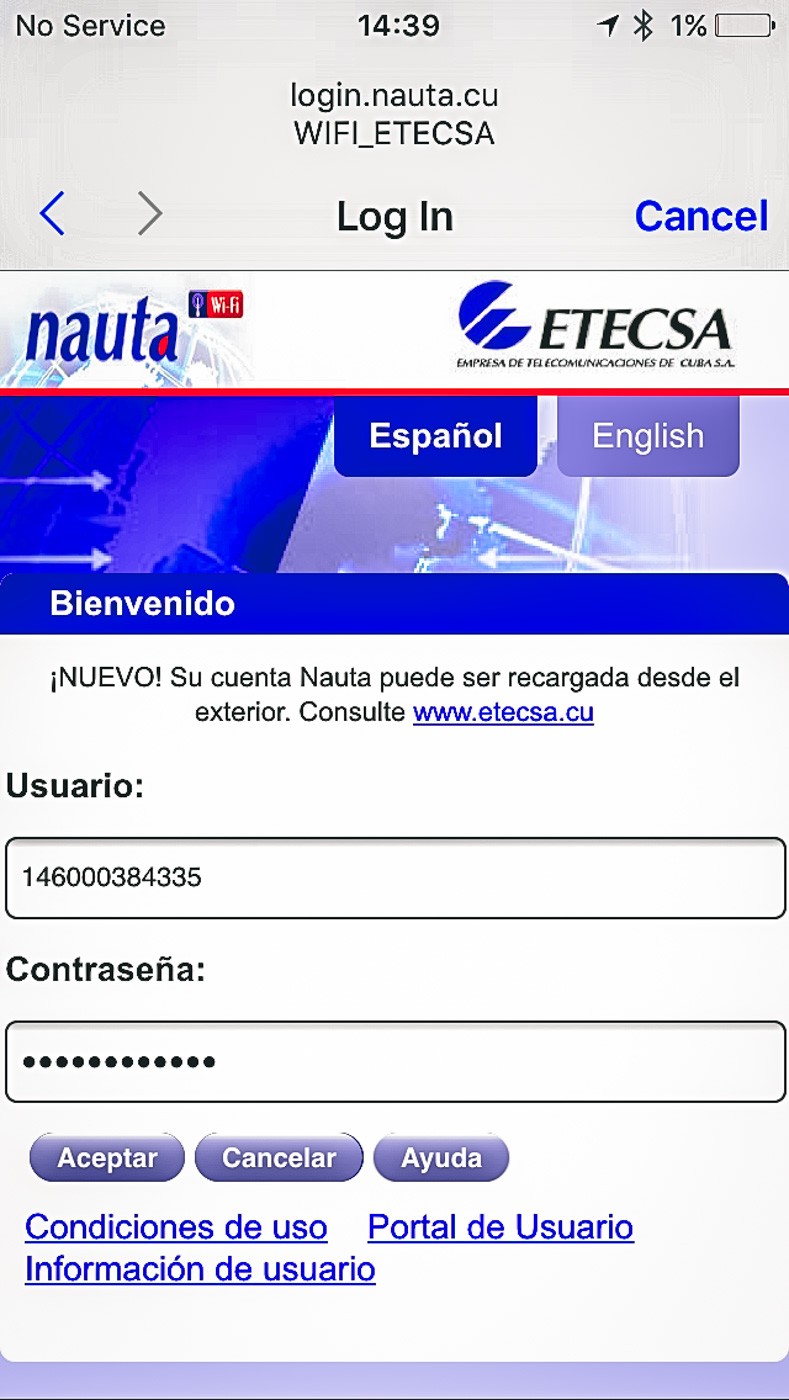
Each ETECSA card has a unique Username (Usario) and Password (Contraseña), which you need to log into the ETECSA Internet service. You can use the cards on your laptop, your phone, or in some cases in hotels (see the section below).
TO LOG IN: simply connect to the ETECSA Wi-Fi hotspot, wait for the login window to pop up, type in your login and username info and hit “Accept.” The page will refresh, and a timer will come on, showing you how much browsing time you have remaining.
You can close the window and browse freely, keeping track of time on your phone or just by watching the clock.
DO NOT FORGET TO LOG OFF when you are done browsing. One of the biggest downsides of the cards is that they don’t always terminate the session when you disconnect from Wi-Fi.
To ensure we didn’t lose time, we would always disconnect our Wi-Fi, forget the network, wait a couple of minutes, and log back on again to make sure the login window pops back up. To be safe, do the same thing on your phone and computer.
2. Connect To The Internet In Cuba Using A Hotel ETECSA Hotspot
As mentioned before, some hotels allow you to access the Internet via an ETECSA hotspot as well. Some allow you to connect using desktop computers in the lobby, while others actually have a Wi-Fi hotspot for mobile internet access with your phone and/or laptop.
The same principles apply when it comes to connecting to ETECSA hotspots in hotels. You’ll need an ETECSA card, and you’ll need to log in using your card’s password and username.
TO LOG OFF: If you are using hotel Wi-Fi, logging off requires more than just disconnecting Wi-Fi and forgetting the network. To do this properly, you must go to http://1.1.1.1 and hit the disconnect to end your session.
3. Connect To The Internet In A Private Home (Casa)
Wi-fi in casas particulares (or private homes) is becoming more and more common throughout Cuba. As the country is opening up to tourism, you can find many casas on platforms such as Airbnb where you can ask the host if they offer wi-fi. While free wifi isn’t possible, this option is especially popular with backpackers and budget travelers who are looking for the most bang for their buck.
However, wi-fi in casas is still not the norm, so don’t be disappointed if your host doesn’t offer it. They are quite pricey and even for those who can afford it, it’s still a hassle to install.
When you arrive at your casa, ask owners if they can offer you their wi-fi SIM card. All you have to do is simply insert it in your phone and pay when you are done.
The downside of using wi-fi in a private home is running a risk of spending too much money on your Internet as you will not see how much data you have used.
4. Connect To The Internet In Cuba Via A Private Internet Connection In A Hotel/Resort
While a lot of hotels offer an ETECSA connection, some (mostly high-end hotels) only allow you to log in using a private hotspot. ETECSA cards will be useless for these types of connections as internet time can only be purchased directly at the hotel.
The prices are significantly higher than connecting via ETECSA. Expect to pay upwards of $10-15 / hour. Non-guests will sometimes be required to buy a drink if they would like to use a hotel’s Wi-Fi access.
“Free Wi-Fi In Cuba”
A small number of high-end hotels or resorts (think $200 USD a night and up) have begun advertising for “free wi-fi” for their hotel guests. Keep in mind that this “free Wi-Fi” is typically only a 30-minute or 1-hour connection via their hotel hotspot, and internet users will be required to pay if they want to stay connected after that.
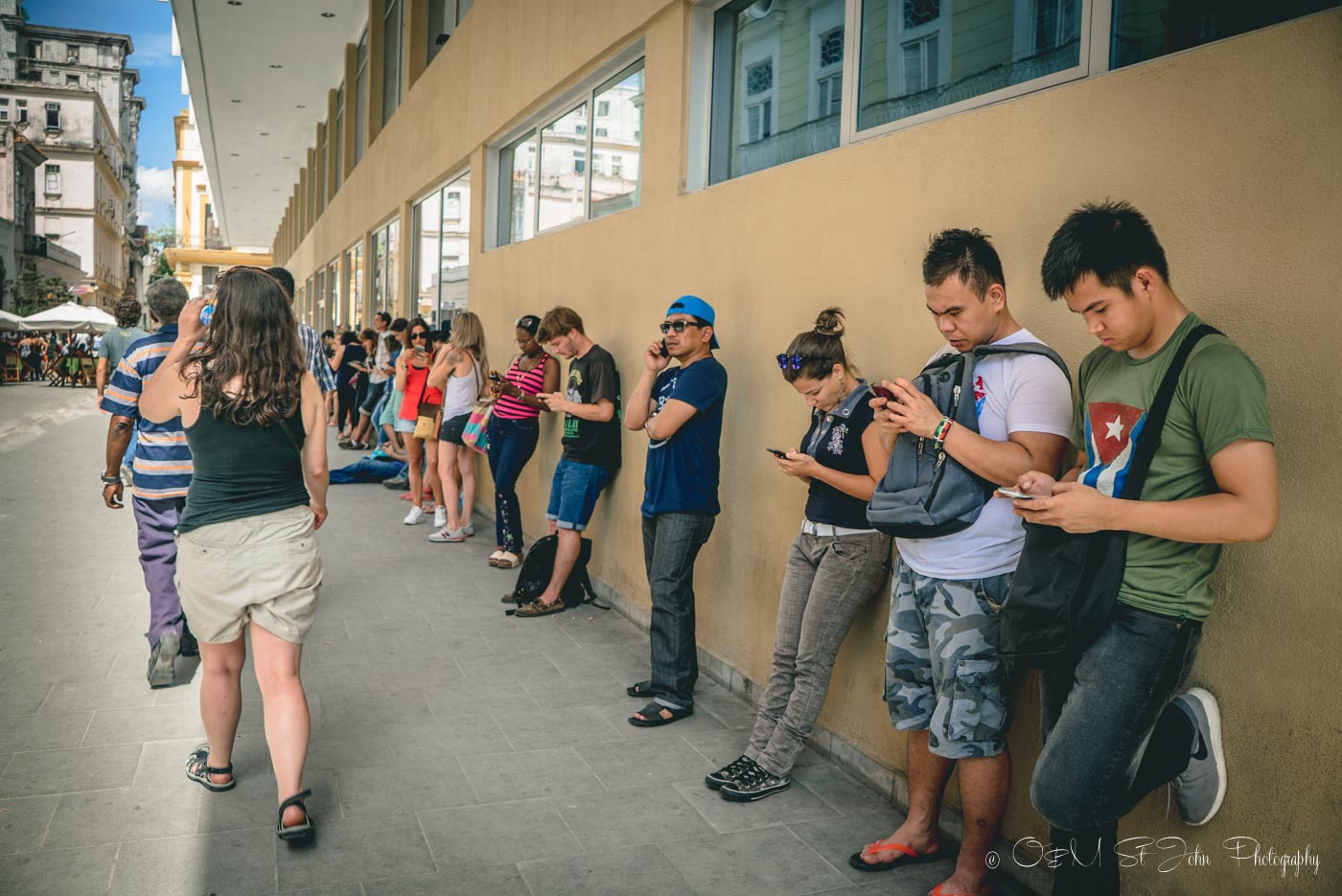
The Internet is still VERY slow and often confined to hotel lobbies or other public areas. Despite their best advertising efforts, free Internet access in Cuba doesn’t yet exist. In Cuba, internet cafes are slowly becoming more common, but they tend to stay crowded.
Locals still don’t have access to 3G on their cellphones, so they find other ways to stay entertained
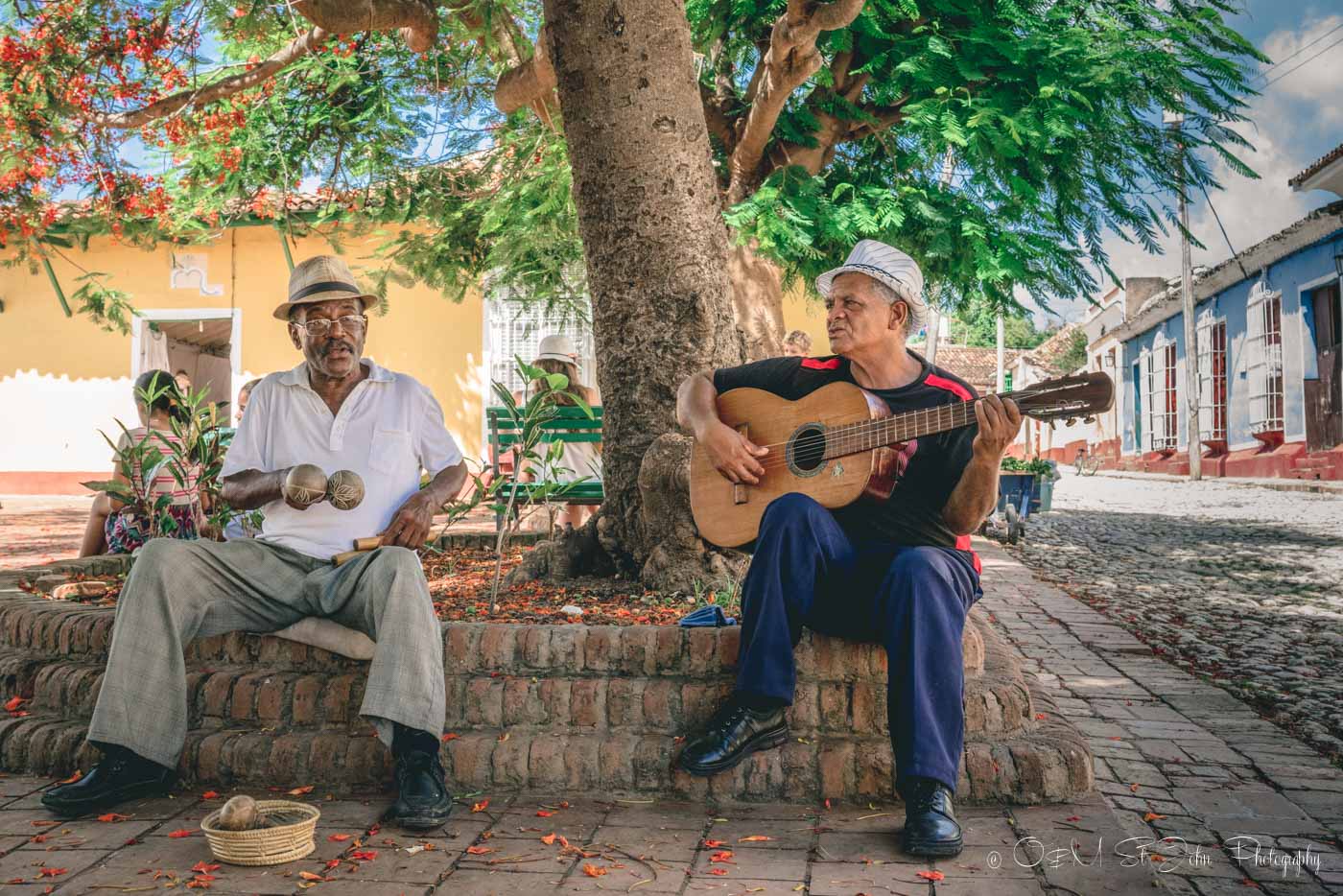
Locals still don’t have access to 3G on their cellphones so they find other ways to stay entertained
5. 3G Cell Phone Data In Cuba
Cell phone data is available in Cuba, but it’s pretty expensive and not very reliable as you travel away from the major cities.
A few telecommunication agencies outside of Cuba provide roaming packages. Check with your cell phone provider to be sure. For example, Russian Yota offers Whatsapp, Facebook Messenger, and Viber in Cuba.
4G Coverage In Cuba
Cuba recently rolled out its version of mobile Internet. However, 4G Coverage is still very much in the development stage in Cuba and is only available in certain places.
If you do purchase the package, remember that peak hours are from at 1p.m to 2 p.m and from 9:30 p.m to 10:30 p.m.
ETECSA Wi-Fi Hotspots In Cuba
Wi-Fi Hotspots are typically located in parks, with the exception of Havana, where some of the best hotspots run along La Rampa street in Central Havana.
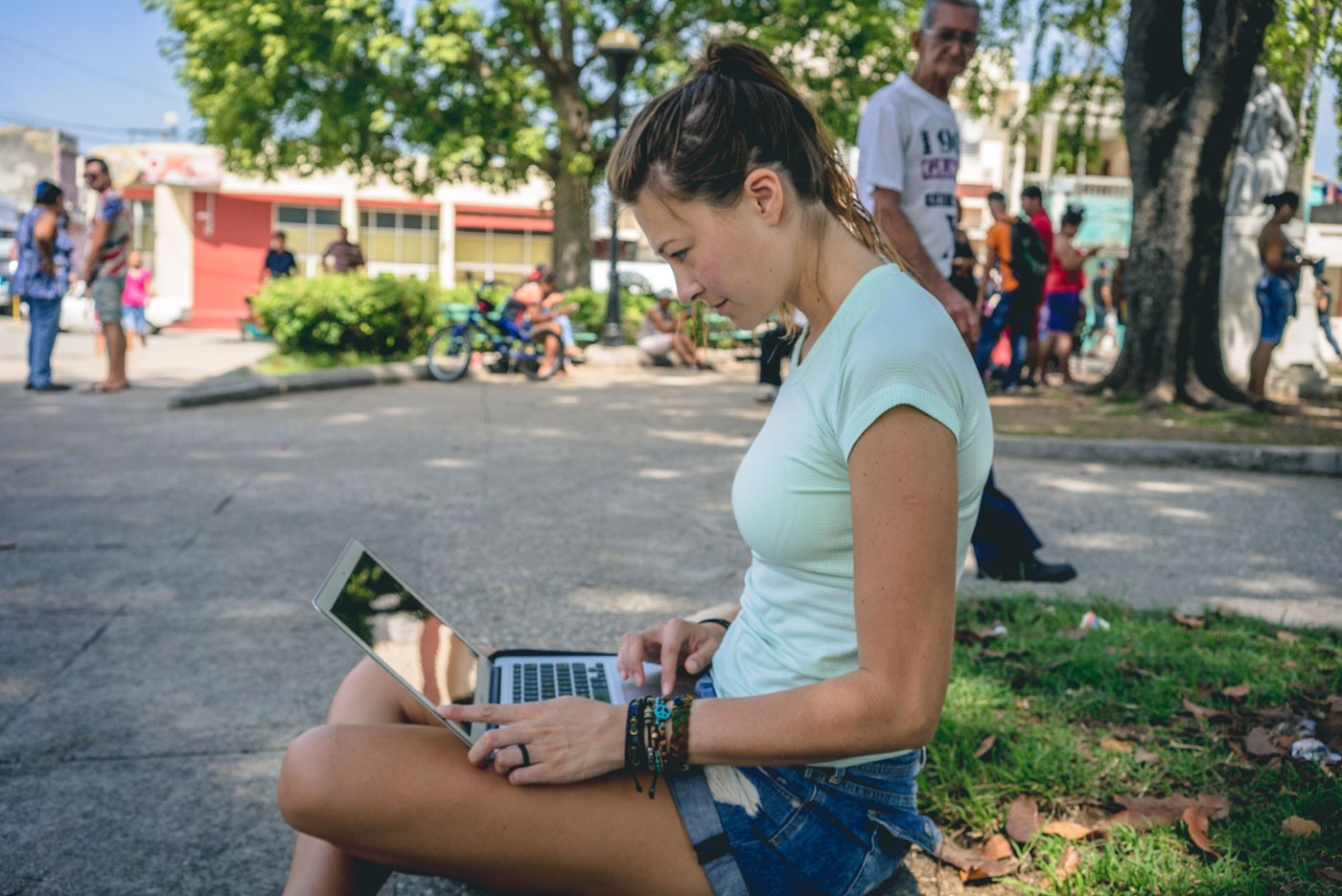
We haven’t come across any beachfront ETECSA Hotspots yet! As of 2013, ETECSA opened internet “Navigation Rooms” that offer Internet access on desktop computers. An ETECSA card is still required to use the Internet in these Navigation Rooms, but at least you no longer have to do work while hunched over on a curb in the park.
Below is the most up-to-date list of ETECSA wi-fi spots throughout Cuba by province.
Additional Cuba Wi-Fi hotspots are added almost every week, so be sure to save a list from the ETECSA website before you depart for Cuba to have it easily accessible during your time in the country.
A complete list of Wi-Fi spots throughout Cuba can be found here.
Wi-Fi In Havana
Havana has over 130 Wi-Fi spots and 41 Navigation rooms available throughout the city. Many of them are located in parks and other public places. You can find a complete list of wi-fi spots in Havana here.
Plus you’ll have more time to explore if you’re efficient online!
- La Rampa (from the Malecón up to cinema Yara in Habana Vedado)
- Parque Linea and L in Habana Vedado
- Corner 13 and 14 in Habana Vedado
- Parque Latino Americano in Cerro Stadium in Habana Vedado
- Trillo Park in Habana Centro
- Fe del Valle Park (corner Galeano and San Rafael) in Habana Centro
- Coyula Park in Habana Miramar / Playa
- University Spa 1st and 42 in Havana Miramar / Playa
- Park 13 and 76 in Havana Miramar / Playa
- Central Pavilions and 14 at Expocuba (Lenin Park)
- Campo de Campo Florido in Habana del Este
- Calabazar Park in Boyeros
- Parque de 51 in La Lisa Punta Brava in La Lisa
- Park 51 and 76
- The Marianao Amphitheater
- The Paseo de la Villa Panamericana
- 9 de Abril Park in Cotorro
- Santa Maria del Rosario Park in Cotorro
- Monaco Park in October 10
- Cordoba Park in October 10
- Jose Marti Park in San Antonio de las Vegas
- Santa Amalia Park in Arroyo Naranjo
- Parque las Madres in Regla
- Jose Martin Park San Miguel del Padron
- Hanoi Park in Alamar
- Cultural Center in Alamar
- Central Park in Guanabacoa
- Viondi Park in Guanabacoa
Wi-Fi In Artemisa
- Boulevard (pedestrian street) in Artemisa
- Church Park
- Central Park in San Antonio de los Banos
- Plaza de la Cultura in Bahia Honda
- Pizzeria on the Park in Bahia Honda
- Main Park in Bauta
- Restaurant El Cohinito in Bauta
- Boulevard (pedestrian street) in Guira de Melena
- Coppelia Ice cream (Ice cream parlor) in San Cristobal
- Gastronomic complex at K59 (km 59 on the highway)
- Central Park in Mariel
- More locations here
Wi-Fi In Mayabeque
- Central park in Güines
- The Boulevard (pedestrian) in San José de las Lajas
- Central Park in Madruga
- Parque Nueva Paz.
- Parque Quivican.
- Parque Bejucal.
- Parque Batabano
- More locations here
Wi-Fi In Pinar Del Rio
- Independencia Park in Pinar del Rio
- Roberto Amarán Park in Pinar del Rio
- San Luis Park in Pinar del Rio
- Alameda Shopping Center in Pinar del Rio
- Colón Park in Pinar del Rio
- Las Cubanitas Cafeteria in Vinales
- Main Park in Vinales
- Antonio Maceo Park, in Consolacion del Sur
- Parque Centro Comercial in Hermanos Cruz
- Cafeteria CIMEX in Hermanos Cruz
- Park 26 de Julio in Guanes
- El Cobre Restaurant and Area in Minas de Matahambre
- Main Park in Herradura Entronque
- CIMEX Cafeteria and Park in Mantua
- La Esquinita Cafeteria in San Juan and Martinez
- Martín Herrera Park in San Juan and Martinez
- Restaurant and Main Park in La Palma
- Pizzeria 23 and 24 and Main Park in Los Palacios
- Park Shopping Center in Guanabacoa
- Main Park in San Diego de los Banos
- More locations here
Wi-Fi In Matanzas
- Todo por Uno Complex (shopping mall) in Varadero
- Artisan Cultural Association in Matanzas
- Cafeteria Plaza La Vigía in Matanzas
- Performing Arts Center in Matanzas
- La Libertad and Peñas Altas in Matanzas
- René Fraga City Parks in Matanzas
- José Antonio Echeverría Park in Cardenas
- The boulevard (pedestrian street) in Colon
- Central Park in Jaguey Grande
- More locations here
W-Fi In Villa Clara
- Revolution Square Ernesto Guevara in Santa Clara
- Martyrs Park in Santa Clara
- Leoncio Vidal Park in Santa Clara
- Framboyanes Park in Santa Clara
- Augusto César Sandino Stadium in Santa Clara
- Central Park in Remedios
- The boulevard (pedestrian street) in Camajuani
- Polyclinic Areas in Quemado
- Main Park in Placetas
- Main Park in Caibarien
- More locations here
Wi-Fi In Sancti Spiritus And Trinidad
- Céspedes Park (Carillo) in Trinidad
- House of Music in Trinidad
- Walk in Casilda
- Serafín Sánchez Park in Sancti Spiritus
- Sea Sky Gastronomic Complex in Sancti Spiritus
- Pio Lindo Gastronomic Complex in Sancti Spiritus
- Main Park in Yaguajay
- Main Park + Walk in Cabaiguan
- Walk in Jatibonico
- Main Park in La Sierpe
- Yayabo Cultural Plaza in Sancti Spiritus
- Paseo Colon in Sancti Spiritus
- Main Park in Fomento
- Main park in Taguasco
- More locations here
Wi-Fi In Ciego De Avila
- Martí Park in Ciego de Avila
- Paseo D Street in Ciego de Avila
- Máximo Gómez Park in Ciego de Avila
- Marti Park in Morón
- Moron Park in Morón
- Mother’s Park in Morón
- Maximo Gomez Park in Morón
- Cultural Center Auraca in Venezuela
- The Boulevard (pedestrian) in Florence
- Sergio Antuña Park in Ciro Redondo
- More locations here
Wi-Fi In Camaguey
- Casino Campestre in Camaguey
- Parque Agramonte in Camaguey
- Parque 28 de Septiembre in Camaguey
- Plaza del Gallo in Camaguey
- Workers’ Square in Camaguey
- Céspedes Park in Camaguey
- Technology Center in Camaguey
- Hermanos Saiz Association in Camaguey
- Santa Cecilia Campus in Camaguey
- Lago de los Sueños Complex in Camaguey
- El Legandario Cafeteria in Camaguey
- La Caridad Market Complex in Camaguey
- More locations here
Wi-Fi In Las Tunas
- Plaza Martiana in Las Tunas
- Antonio Maceo Park in Las Tunas
- Las Antillas Complex in Las Tunas
- Buena Vista Tank in Las Tunas
- Cast Stone House in Las Tunas
- El Cornito rural farm in Las Tunas
- Emiliano Salvador Park in Puerto Padre
- Main Park in Jesus Menendez
- Main Park in Manati
- The Mothers in Amancio Park
- More locations here
Wi-Fi In Holguin
- Parks Calixto García in Holguin
- Julio Grave de Peralta in Holguin
- Rubén Bravo Children’s Park in Holguin
- Loma de la Cruz in Holguin
- Plaza of Culture in Gibara
- Main Park in Banes
- Young Club in Mayari
- The Boulevard (Pedestrian street) in Rafael Freyre
- Main Park in Antilla
- Main Park in Cueto
- Park las Auroras in Moa
- More locations here
Wi-Fi In Granma
- Boulevard (pedestrian street) in Bayamo
- Park of Love in Bayamo
- Park Cars in Bayamo
- Plaza de la Patria in Bayamo
- Calixto García in Guisa Park
- Ricardo de Céspedes Park in Niquero
- Park 24 de Febrero in Campechuela
- Park Municipality in Pilon
- Main park in Jiguani
- City Park in Media Luna
- Park Municipality in Yara
- Park Municipality in Rio Cauto
- The Boulevard (pedestrian street) in Manzanillo
- Park Municipality in Cauto Cristo
- Municipality Park in Buey Arriba
- Park Municipality in Bartolomé Maso
- More locations here
Wi-Fi In Santiago De Cuba
- Paseo Maritimo La Alameda (portside) in Santiago de Cuba
- Parques Céspedes, Ferreiro in Santiago de Cuba
- Plaza de Marte in Santiago de Cuba
- Enramadas Technology Center in Santiago de Cuba
- EGAMM Alegremonos Center in Santiago de Cuba
- Cafeteria ON in Santiago de Cuba
- Supermarket and Multiservice Center in Versalles
- Caguayo distribution (René Valdès Cedeno Gallery) in Vista Alegre
- Park in distribution in San Luis
- Main Park in Palma Soriano
- Restaurant in Siboney
- More locations here
Guantanamo
- Maximo Gomez Park / Caribe Shopping Center in Guantanamo
- Reparto Obrero Shopping Complex in Guantanamo
- Martí in Guantanamo Park
- Central Park in Baracoa
- Main Park in Imias
- Main Park in San Antonio del Sur
- Central Park in Caimanera
- Park Municipality in El Salvador
- Park Municipality in Manuel Tames
- Area in Boqueron
- Park Municipality in Yateras (Palenque)
- Park Municipality in Niceto Perez
- Main Park in Costa Rica
- More locations here
Wi-Fi Isla De La Juventud
- Boulevard (pedestrian street Marti street) in Nueva Gerona
- Cotorras Park (Students park) in the capital Nueva Gerona
- Parque Estudiantes / Cotorras.
- Parque Cine la Fe.
- Parque La Demajagua.
- Parque Guerrillero Cine Caribe.
- Parque Ahao.
- More locations here
Is Wi-Fi Safe In Cuba?
Connecting to an unsecured Wi-Fi in Cuba involves the same risks as it does in any other country. After all, when you are connecting to a public Wi-Fi that is used by other people, you have to understand that your data might be compromised. Cuba’s nascent Internet is just starting to gain traction, and the influx of tourists who are trying to use it for their needs only presents more challenges to it.
As a note, the Cuban government tracks wi-fi logins, and some foreign websites may not open. This is especially true for websites based in the United States.
If you are concerned about the safety of your data, consider using NordVPN to protect your browsing history while using the Internet in Cuba.
Can I Access All Sites?
In Cuba, internet censorship is a thing, so don’t be surprised if you can’t access all of the content and platforms that you normally can. It’s best to plan ahead and have a few different lines of communication to use.
During times of political turmoil, Cuban government officials have been known to restrict access to social media and messaging platforms. If you do post on social media, take care not to make any political statements in regard to Cuba. If you tend to use social media for communication, it might be a good idea to have a backup. When you do get internet access in Cuba, make sure you have access to email and other channels of communication.
Because of the US embargo against Cuba, you won’t be able to buy from certain online retailers. You probably won’t be able to purchase anything on Amazon, Google Play, or Apple, even if you aren’t having anything shipped to you. There might also be some difficulty completing some online transactions with Airbnb and other US based accommodation marketplaces like Vrbo.
The best way around the problems with access to sites and completing purchases is a VPN. Make sure you load the VPN onto your devices before travelling to Cuba. You can get a VPN while you’re in Cuba, but only if you can access the App Store or Google Store. Just get it beforehand, and you’ll avoid wasting time that would be better spent on the beach.
Make The Most Of Your Time Online
Whenever you do get a chance to log on, make the most of your time online. This is the process we followed, which proved to be very efficient.
- Download your emails, messages and preload pages when you first log in.
- Disconnect from the Internet.
- Compose email/message responses and any social media posts.
- Edit any photos offline and prep them for posting.
- Reconnect.
- Send emails, copy and paste message responses, and schedule social media posts.
- Log off.
Prepare To Be Offline
Even though the Internet in Cuba is available across the country it’s not always easily accessible and the internet speed can be slow, so we do recommend a bit of pre-planning to help your trip go as smoothly as possible.
Download Maps.me, it’s one of our favourite apps that allows you to access maps (with routing) without a connection to the Internet. Ensure that you download the full Cuba map before you go and you’ll never have to worry about being lost. Google Maps also works in Cuba, but it’s best to download offline maps in case you lose internet services.
Download and save Wikitravel Pages for each city you plan on visiting. The same goes for travel blogs and interesting articles about travel in Cuba. You can do this with an app called Pocket.
Take note of the TripAdvisor restaurant recommendations. You can either find the best restaurants in each city on your mobile and screenprint TripAdvisor suggestions or download pdf versions of the TripAdvisor desktop pages.
Download the app A La Mesa, to get some insight into the restaurant scene across Cuba.
Download this or a similar guide to wi-Fi in Cuba for an easily accessible list of ETECSA hot spots and tips for connecting to the internet while in Cuba.
Is Staying Connected While Abroad A Must For You?
READ NEXT
What You Need to Know Before Traveling to Cuba
How to Plan 1 Week, 2 Week, 3 Week or 4 Week Trip to Cuba
Sunday City Guide: What to do in Havana, Cuba


Hi,
Thanks for all infos. I hope that it will help us for our soon travel to Cuba.
But we (still) hesitate to take or not our son (11 months baby) to Cuba or not this summer. What do you suggest ?
Regards,
In our opinion, there are no issues with taking an 11-month old to Cuba. We saw lots of travelers with kids while in Cuba. Take extra precautions when it comes to food and drinking water, but otherwise, there is nothing to worry about.
Hi,
is there a possibility to have skype interview in Cuba? I will have a job interview during my stay in Cuba.
Thanks for any help.
Hi Maciej, it is unlikely that the connection is going to be good enough for a Skype call. We would suggest rescheduling your interview, or at the very least being ok with an interview without video.